
Description
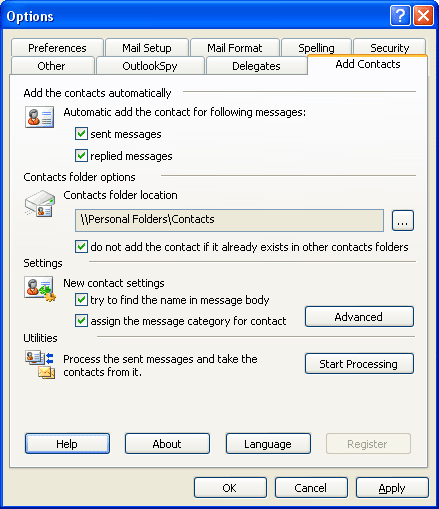
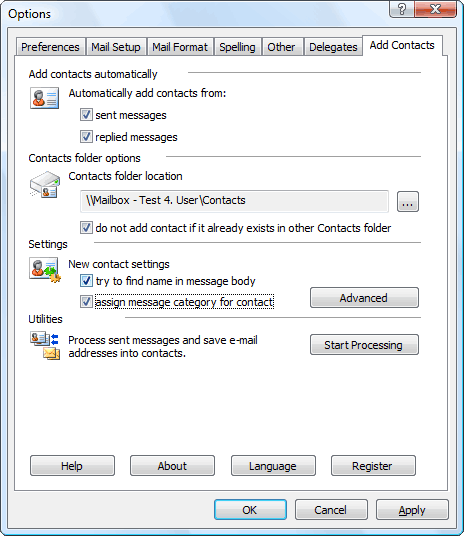
Add Contacts automatically adds e-mail addresses to the contact folder when you reply a message and/or send a new message.
This will help you avoid losing addresses of people you correspond with. Moreover, the collected addresses can be used for mail filtering. For example, you can use the Rule Wizard to have messages from certain senders (whose addresses are there in the address book) placed in a separate folder to ensure that their message will be dealt with greater priority and no important messages will be lost with deleted spam. Some spam filters also check the contact folder to rule out erratic response for recognized senders.
When a contact is being created, the add-in attempts at detecting the name corresponding to the e-mail address automatically. So, if you have received a message from the address “John Smith” , the new contact created by the program will be named John Smith. However, if name detection fails, the add-in attempts at retrieving it from the message body. For example, if your message begins with the string “Dear John, :”, the program will automatically extract the name from the greeting and create a contact named John. You can disable automatic name detection in the program settings.
You can also enable the option of category assigning to created contacts. If a category is assigned to a message while sending, the same category will be assigned to the created contact.
You can choose any folder as the contact destination, either in your personal mailbox or in public folders on Microsoft Exchange server. When adding a contact, Add Contacts checks the folder for possible duplicates. In the program settings, you can also instruct Add Contacts to search for contact duplicates, over all contact folders in your personal mailbox besides the specific destination folder.
Please note that similar automatic contact adding feature was available with Microsoft Outlook 2000 in the IMO mode (Internet Mail), but further Microsoft Outlook versions don’t have it. To check if this option is available with your version of Outlook, select the Options item in the Tools menu, switch to the tab Preferences and click the Email Options button. If you are using Microsoft Outlook 2000 you will see the option “Automatically put people I reply to in” at the bottom of the dialogue.
Features
- Works in automatic mode
- Allows to process the messages sent before
- Can find the name of contacts in the message body
- Can assign the category to the processed contacts
- Checkes the contacts before adding it to prevent duplicates.
- Supports two languages interface: English and German
Download 30-days trial version
Select one from following link to download Add Contacts, file size is 1180 KBytes.
Ordering
Trial version of Add Contacts has no limitations. But if you would like to use this software after the 30 days evaluation period a registration is required.
You can order the fully licensed version over the Internet with any major credit card, bank-transfer or wire Paypal.
| Single user license | €22,61 | |
| 5-Users license | €83,30 | |
| 10-Users license | €142,80 | |
| 25-Users licens | €333,20 | |
| 50-Users license | €595,00 | |
| 100-Users license * | €892,50 |
All prices inculde 19% german Tax.
